Written in 2023, 3 years ago. Tools and advice may have moved on since.
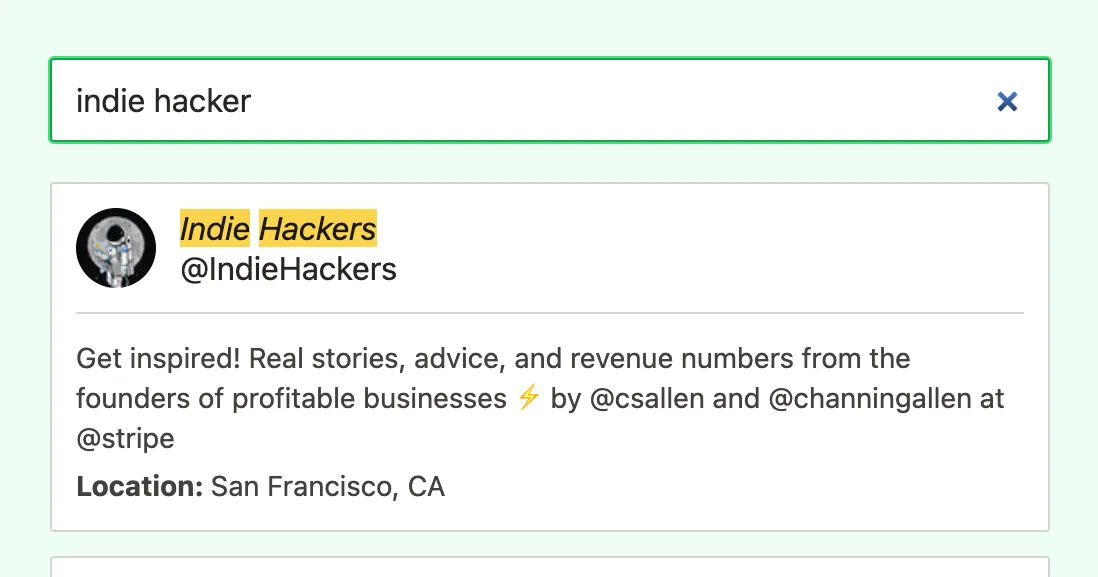
I stumbled on this challenge when working with highlighting for Prune your Follows.
How to style the
markelement in the possibly highlighted search result?
Turns out Tailwind has support for Using arbitrary variants, but it took me quite a while to find that in the documentation, I’ll tell you 🕵️♀️
const HighlighetResult = () => {
  return (
    <span
      className="[&>em]:bg-amber-300" // 👈👈👈
      dangerouslySetInnerHTML={{
        __html: highlight?.username || record.username,
      }}
    />
  );
};
Inside the [] in the code example, you may use any regular old css selector! So, for instance, if you are getting content from a third party, you could do [&>p], [&>img] etc. The > indicates direct descendant; for any img you’ll need to do [&_img], the _` will be read as a space.
All the best,
Queen Raae